


Live Streaming in the DJ world has had a lot of interest over the past few years. While nothing has come close to the demand we’ve seen for live today, during a pandemic. A new reality has set in and there’s been plenty of cancelled events. Therefore creators and institutions are facing an extremely challenging financial future. Mixcloud LIVE is here to help that.
So, as a result, Mixcloud have launched Mixcloud LIVE for all of their PRO Creators. Mixcloud LIVE is a first music focused, integrated solution to allow audio creators to live stream video and archive the audio (coming soon). Futhermore they’re able to generate income via SELECT. While this is done via a legal and licensed platform ensuring that underlying artists and songwriters who get played will get paid.
All via a legal and licensed platform ensuring the underlying artists and songwriters who get played, get paid.
Mixcloud have been working hard to bring a brand new way for creators to express themselves over the last few weeks. All within the best way possible. They’ve built and released Mixcloud LOVE earlier than they’d normally do, so expect some bugs and UI flaws when using it. However, don’t worry as they will iron them out as quickly a possible.
Mixcloud LIVE has been designed to bring an interactive, fun, human experience to both creators and listeners, at a time when the world is socially distant we can feel closer than ever with music.
Start here: mixcloud.com/live/new
For help setting up, check out this article on how to go live on Mixcloud
(Mixcloud)
Keep up to date with everything How To Kill An Hour by signing up to our newsletter by clicking here!
Let us know what you think of the show by clicking here!
Click here to subscribe to our YouTube Channel to see more amazing ways to kill time!
Follow us on Twitch by clicking here!


WHAT'S IN THE BOX?! Philips Hue Play HDMI Sync
WHAT'S IN THE BOX? Philips UK & Ireland Hue Play HDMI SYNC!
Posted by How To Kill an Hour on Friday, 29 November 2019
We have checked out the Philips Hue Play HDMI Sync Box, a really cool piece of kit that syncs what you can see on screen, either on a game, movie or tv show with the various lights that Hue provides! You can also sync your music with it! How cool is that!?
With this fancy piece of kit, (trust us it’s amazing! We love it!) you are able to sync Philips Hue Lights with the Sync Box and it will mimic the lights that are on screen on to the wall behind the television. Furthermore you’re able to attach up to 4 HDMI devices, so you could attach a SKY/Virgin Box, a Game Console or an Apple TV (For Music/Games/Tv) all at once! Though only one device can be used at any one time.
The Philips Hue Play HDMI Sync does require the Hue Bridge and Hue Colour lights to work, but once you got those it’s good to go! Plus it’s super easy to set up, we set ours up in 5mins! Even personalise your experience with the Sync Box App!
Things such as explosions were mimicked on the wall behind us. Even the intensity of said explosions were mimicked on the wall behind our TV. That certainly adds to the immersion of the content that we’re viewing. It felt like we were ‘there’!
However, if you aren’t too keen on the intense nature that may occur (all dependent on what you see on screen of course) you can select a subtle mode from within the Sync Box App to tone down the lights.
The Philips Hue Play HDMI Sync Box is available now for $229.99 €249.95 (UK price TBC).
It will be released in the UK in January 2020
More information about the product can be found here!
Keep up to date with everything How To Kill An Hour by signing up to our newsletter by clicking here!
Let us know what you think of the show by clicking here!
Click here to subscribe to our YouTube Channel to see more amazing ways to kill time!
Also, follow us on Twitch by clicking here!
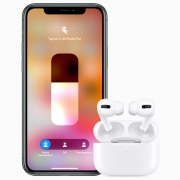
Airpods Go Pro!
Posted by How To Kill an Hour on Tuesday, 29 October 2019
The AirPods Pro are here and they offer noise cancellation and hands-free access to Siri for $249. There was a bunch of design changes as the stems are shorter, there’s silicone tips to offer a better seal and a wider bigger charging case. (Which is still wireless charging!) Furthermore Apple magic helps you fit the buds perfectly. The use of the Ear Tip Fit Test will examine the seal for each ear, determining which size tip is best!
Apple says the AirPods Pro “superior sound quality” with audio feature called Adaptive EQ. Adaptive EQ will automatically tune the low and mid range frequencies to suit each person’s ears. AirPods pro have an amplifier on board for “pure, incredibly clear sound” and extended battery life. Bass will be produced down to 20Hz to create an “immersive” audio quality for the listener.
Active Noise Cancellation works by employing two microphones on each earbud which continuously adapt the level of noice cancellation to your ears. One mic will listen to ambient sound around you, while the other will pick up any additional sound inward. Continuously analysing the sound 200 times per second! Impressive! Furthermore to promote safety, Apple have included a ‘transparency mode’.
This is for when you need to hear what’s going on or you need to chat to someone. You can activate it on the earbud itself via the force sensor or through the control center. The force sensor can also be used to play/pause, skip and answer calls. However volume adjustments will need to be done on your iPhone.
Battery life is 5hours with active noise cancelling turned off and 4.5hrs with active noise cancelling turned on. With the included wireless charging case, you can expect up to 24hrs of total listening time.
AirPods cost £249, begin shipping on 30th Oct and you can purchase your own here
Also, keep up to date with everything How To Kill An Hour by signing up to our newsletter by clicking here!
So, let us know what you think of the show by clicking here!
Click here to subscribe to our YouTube Channel to see more amazing ways to kill time!
Follow us on Twitch by clicking here!

We took the two best wireless headphones for a spin to decide which is the best! It’s time for Airpods vs Powerbeats Pro!
Airpods 2nd Gen are a real step up from their predecessors. Take them out of the book and they’re ready to use straight away. Put them in your ears and they’ll start playing music. Take them out your ears and they’ll pause. Simple.
Simply say “Hey Siri” and the Airpods will announce Messages, Siri will even automatically speak your incoming messages as they arrive. Choose which contacts that you wish Siri to announce and Siri won’t interrupt you from others.
With the H1 chip you can connect up to 2x faster when switching between active devices and a 1.5x faster connection time for phone calls. Also, it will drive voice enabled Siri access and 30% less lower gaming accuracy. So whether listening to music, playing games or on the phone it will be that much better.
The optical sensors and motion accelerometers will work together to control the audio experience. Therefore engaging the microphones for phone calls and Siri. Whilst also enabling Airpods to play sound as soon as they’re in your ears. Double tap to change music or even wear one Airpod if you want. While the mics are also very smart and can filter our external noise and focus on your voice.
The wireless case also enables you to charge by simply playing the case on a Qi-Certified charging mat! Listen for up to 5hrs, and talk for up to 3hrs all on a single charge. The case holds 24hrs of charge of listening and talking time. A quick 15mins charge will give an additional 3hrs of listening and 2hrs of talk time. Even ask Siri to tell you how your battery level is like!
The new Beats earphones Powerbeats Pro are built specifically for those who love to workout and are always active. They have zero wires for a start so there’s no holding you back! Powerbeats Pro delivers powerful, balanced sound with dynamic range and noise isolation for a very cool and enjoyable listen.
They are wireless (obviously!) but also have a really strong connection to your device, with fewer dropouts included! You are going to get sweaty using these right? Well they have a reinforced design for sweat and water resistance! Not only that the adjustable, secure fit ear hooks keep them locked in to your ears. So, you can keep locked into the music.
While you get a total of 9 hours of listening time the charging case will give you an additional 24hrs of playback! If you need a charge, Fast Fuel for 5mins gives you an additional 1.5hrs of playback! Hands Free controls via “Hey Siri” on iOS devices and and voice capability with a push of the “b” button on a variety of compatible devices!
There’s also volume and track controls on each earbud so you can play both earbuds or one at a time. Not only that there’s also sensors in the buds which will detect when you are wearing them and start/stop playing accordingly.
Check out our extensive table below:
| Airpods Pro | Powerbeats Pro | |
| Weight | 4g (each)
38g (Charging Case) |
0.71 oz/20.3 g |
| Connections | Bluetooth
Lightning Connector (Case) |
Bluetooth
Lightning to USB – A (Case) |
| Accessibility | Live Listen Audio | |
| Sensors | Dual Beamforming Microphones
Dual Optical Sensors Motion Detecting Accelerometer Speech Detecting Accelerometer |
Dual beam-forming microphones
Dual optical sensors Motion-detecting accelerometer Speech-detecting accelerometer |
| Power | More than 24hrs listening time and 18hrs talk time (With Case)
Up to 5hrs listening time, up to 3hrs talk time (Single Charge) 15mins in case = 3hrs listening time, 2hrs talk time |
24hrs charge with the case
Single Charge 9hrs 5mins = 1.5hr |
| Hey Siri Compatible | Yes | Yes |
| H1 chip | Yes | Yes |
| Noise Isolation | No | Yes |
| Controls | Tap Control | Physical Buttons |
| Adjustable Ear Tips | No | Yes |
| Adjustable Fit | No | Yes |
| Sweat and Water Resistant | No | Yes |
Purchase them here: Air Pods 2nd Gen / Powerbeats Pro
Keep up to date with everything How To Kill An Hour by signing up to our newsletter by clicking here!
Let us know what you think of the show by clicking here!
Click here to subscribe to our YouTube Channel to see more amazing ways to kill time!
Follow us on Twitch by clicking here!

Have you got a big summer holiday planned? Many of us will be spending our summers in this country, driving to a coastal destination to enjoy time on the beach with our friends and family. Even if you are travelling abroad, you might be either doing so by car or hiring a car at the airport. Summer holidays often include a lot of driving.
This can have many advantages, the main one usually being that you have your car (or a car) for the duration of your trip. If you’ve bought a great car from Jagtechnic, why should you have to rely on public transport while you are on holiday? But, long drives can be boring, especially if you are a passenger. So, what can you do to pass the time on a long car journey?
Create a PlayList
Now, the music tends to be the driver’s domain, so it would be good if you could both come up with an agreed playlist. Spend some time setting it up before your trip, so you’ve got lots of fantastic tunes to listen to alone the way.
Swat Up on Road Trip Games
There’s very little more old fashioned than a road trip game. In the days of portable DVD players and tablets, they’ve somewhat gone out of use. But, they can still be a fantastic way to pass the time. If you’ve got kids in the car, stick to the family classics like eye spy or red car. But, if it’s an adults-only road trip, a few adult road trip games could be great fun and have you laughing all the way.
Take a Nap
If the driver doesn’t mind, try to get your head down for a short nap. Take a travel pillow and wear comfy clothes and you’ll soon nod off. If possible, take turns driving so that you both get a rest, but remember to make sure you are both insured to drive before you leave.
Be The Navigator
Traditionally the passenger has always been the map man. The navigator, that’s armed with a map book and plans all of the stops and routes along the way. But, now we tend just to spend our time shouting at a sat nav. If you want something to do, buy a map book and get stuck in, turning the sat nav off first to avoid arguments.
Look After the Driver
As the passenger, it should be your responsibility to take care of your driver. Sometimes, this will mean checking the map or finding a stop along the way. But, it can also mean opening a drinks bottle or sweet and even scratching an ear. Think of yourself less as passenger and more as drivers assistant.
Take in the Sights

In our busy day to day lives, we so rarely get the chance to really look at the world around us. Use this time to take in the sights, to see what you can spot, and to pick out places that you’d like to come back to for a proper look.

Car buff or not, there’s something so exciting about buying a new car and investigating all of the technology that’s packed inside it, not to mention opening up the engine and seeing how powerful your new motor is. This is especially exciting when you’ve bought your car either outright or on finance through a company such as Motor Mill because you just know that the technology is going to blow your mind. However, when your car is a little outdated, the technology simply isn’t going to be as good. Luckily, there are a plethora of ways that you can turn your drab car into a fab technology-packed car! Check it out!

There’s something so exhilarating about turning up the radio station and belting out your favourite tunes, especially on a long journey. However, many older cars don’t come with speakers that can handle loud volumes, thus sacrificing your listening quality. Why not install a speaker system into your car so that you can enjoy music, whether it’s a quick trip to the store or a long road trip, your journeys will be much more enjoyable! Your local car part retailer will stock speaker systems, and may be able to install them for you for a small fee!
One of the biggest problems with older cars is not being able to plug in your own music and enjoy some advert-free listening and most importantly, be able to pick all of the songs you listen to. The easiest way of doing this is through an auxiliary cable, but if your car doesn’t cater to think, what’s the solution? If your car has a cigarette lighter (and let’s face it, most cars do), then you can simply buy an FM transmitter for your car, match it with an unused radio station, and you’ll be able to plug your phone into the transmitter either via aux cable or Bluetooth! They’re super cheap to buy and last for many years!
Being safe on the road is imperative, and so is building up your no claims. As you’re aware, the more years you have without claiming on your car insurance policy, the cheaper it’s going to be with each renewal. However, no matter how safely you drive there’s one thing you can’t count on – other drivers! One thing you learn quickly when you start driving is that the only person you can trust on the road is yourself. Do yourself a favour and buy a dash and rear camera for your car so that if you’re ever in an incident, you can prove that you were driving safely. This can also help bring the cost of your insurance down too, so it’s a win-win situation!
Finally, technology doesn’t always have to do something spectacular to impress, it simply needs to look good! Why not jazz up the interior of your car with some LED footwell lighting? Many taxi services do this to entertain and invite customers back time and time again, and it’s a great way of turning your motor from drab to fab.

We’re not encouraging that anyone spends more time looking at their phone rather than keeping their eyes on the road and their hands on the steering wheel. However, smartphones are becoming versatile tools with apps to seemingly fit any situation and that includes when you’re on the road as well. Here, we’re going to look at some of the coolest, most convenient, and even most helpful apps that can help you drive safer, cut costs, and even deal with an emergency.
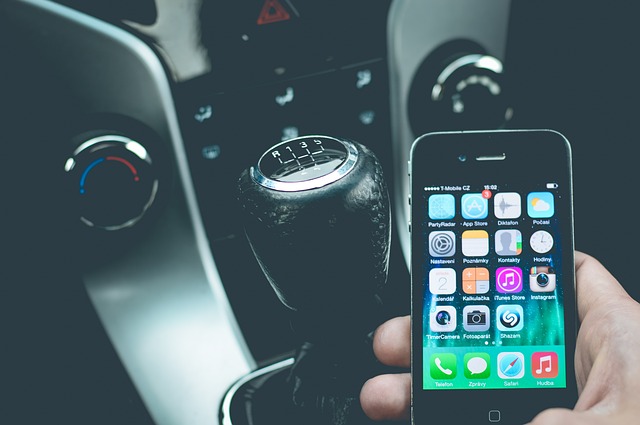
Don’t choose between tunes and data
This might not seem like the most vital of tools, but when it comes to using apps on the road, a lot of people are going to discover the limit to their data very quickly when they first hit it. Rather than cutting off your access to half your apps thanks to data-draining apps, there are ways to make it stretch a little longer. In particular, if you listen to music or podcasts on the road there’s a good chance you use Spotify to do it. Spotify Lite is a slimmed down, efficient version that can keep those tunes, but without burning through your data.
Balance your fuel budget
Sick of paying more than you think you should for gas? There are other apps that can help you manage your fuel efficiency, but Fuel Map is all about one thing only: helping you find the most affordable gas stations closest to you. By comparing and listing the current prices of stops across the country, as well as how far away you are for them, it can help you make a real dent in the fuel costs that can make your car more expensive to own than you might like.
Be ready for any situation
There are apps that can help you when you’re in a true pinch, as well. If you’ve been caught in a car accident, then after the dust has settled, you’re going to need a replacement car. Apps like Compass Car can help you get a replacement delivered quickly to your location and pick it up wherever you like whenever you’re done with an app that shows you where the delivery is in progress as well. Rather than simply downloading, you have to apply to the service to get the app, but it can be truly helpful in a tight situation.
Never have trouble finding a spot again
Particularly useful for urban dwellers, Parkopedia is an app that’s designed to help you find a parking spot much more easily, highlighting where the open spots currently are. It doesn’t yet reach across the whole country, but it is steadily expanding to include more locations. If you’re having trouble finding spots consistent, you should check the site to see if it’s in the city in which you live.
While often the cause of accidents when misused, smartphones can be a lot more helpful to drivers than you might imagine. The above-mentioned apps are some of the most useful out there, but there are plenty more worth taking the time to discover, as well.
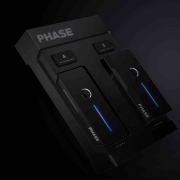
Phase is a brand new wireless DJ Controller, the first of it’s kind. Allowing you to control tracks from DJ software. Without needing turntable needles of timecode control vinyl. Two audio remotes capture the turntable rotation information. Then it will wirelessly transmit the information to a receiver. The receiver will then process the information and send it to your DVS setup.
It’s very easy to use and offers unprecedented communication, quality and reactivity. It will not be affected by external disruptions that affect common DJ equipment.
The Phase wireless DJ controller is more stable and accurate than any other digital system. Furthermore it offers an incredible level of reliability of DJ’s. As it is incredibly intelligent. Rotations are detected and records even the smallest of rotations. That information is then instantly sent to the software offering real time audio control with pinpoint accuracy. Consequently guaranteeing seamless signal quality in any situation.
The patented technology of Phase Wireless DJ Controller is unaffected by external perturbations, such as rumble, defective turntables or any other common DJ equipment issue.
Phase gives you the sensation of mixing on standard audio records without giving up the comfort of a digital controller. Perform on a digital controller as you would on standard audio records. It works easily and smoothly with any DVS DJ setup thanks to 2 stereo RCA outputs. Software that’s compatible is Serato DJ Pro (& lite), Virtual DJ, Traktor and Rekordbox.
Phase has immense charge. One single charge gives you up to 10hrs of mixing per Remote. The Phase is also built to last allowing it to resist daily usage and hazards that it may encounter. Phase comes with 2 extra remotes too, allowing you to charge two and use two. Allowing you to not stop DJ’ing.
Also, keep up to date with everything How To Kill An Hour by signing up to our newsletter by clicking here!
So, let us know what you think of the show by clicking here!
Click here to subscribe to our YouTube Channel to see more amazing ways to kill time!
While you’re there follow us on Twitch by clicking here!